
Description
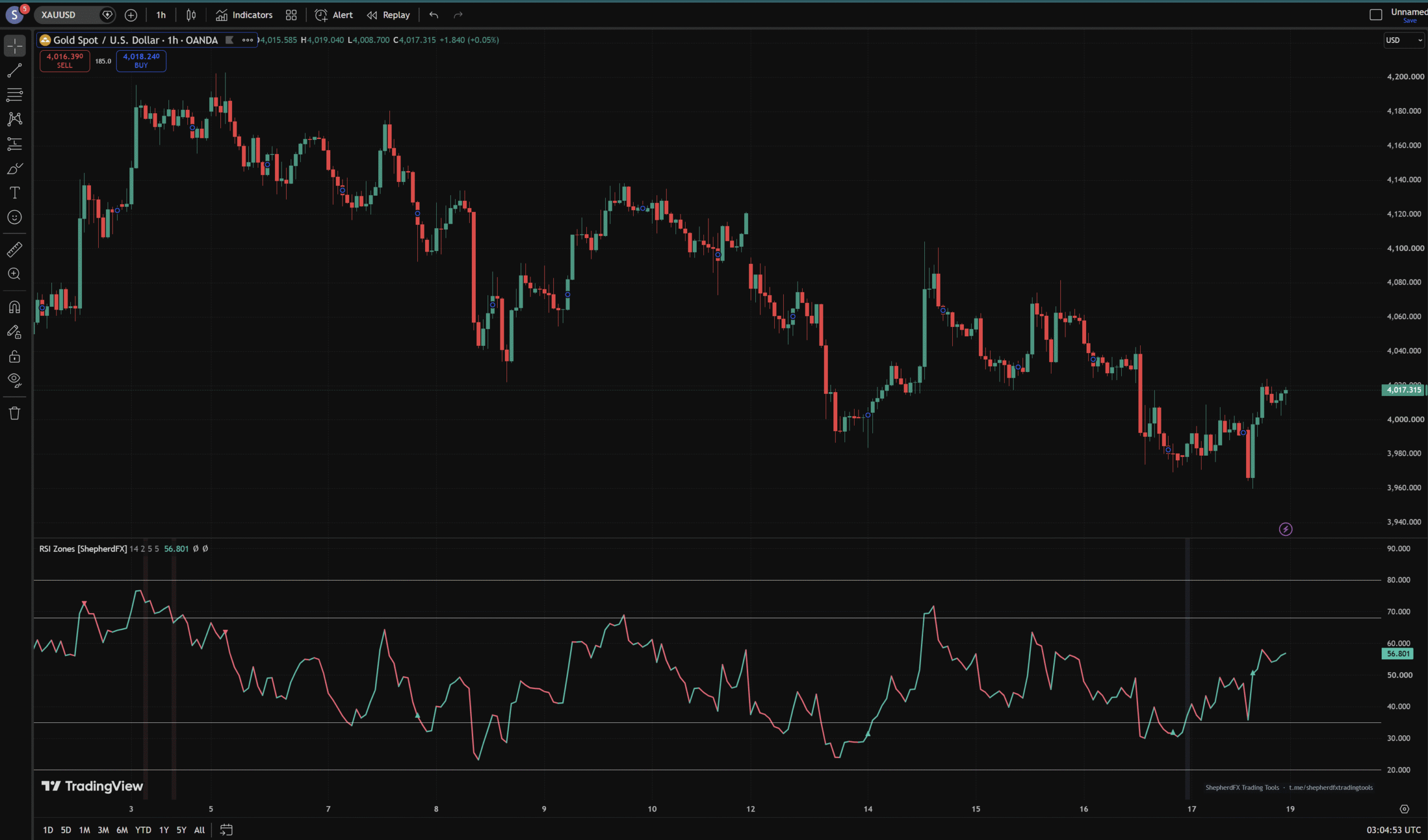
RSI Market Zones Pro replaces the standard 30/70 RSI with a four-level zone map and a signal layer, written in Pine Script v6 for TradingView. Instead of two fixed lines, the oscillator is divided into overbought, resistance, support and oversold bands, each drawn as a labelled horizontal level. When RSI reacts at one of them, that zone’s background highlights, so you can see at a glance whether momentum is rejecting a level or cutting straight through it.
The RSI line is coloured by direction rather than plotted flat, with separate bullish and bearish colours you can set. Divergence uses standard pivot detection with configurable left and right lookback bars — five and five by default — and is marked directly in the oscillator pane. Buy and sell signals print on zone reactions, and a Require Divergence for Signal toggle suppresses every signal unless a divergence confirms it. That single switch cuts signal count sharply and is worth enabling if you would rather trade fewer, better setups than catch everything.
Six alert conditions ship with it: bullish signal, bearish signal, bullish divergence, bearish divergence, and RSI crossing into overbought or oversold. Eighteen inputs in total, grouped into RSI, Zones, Signals, Divergence and Alert sections so the settings panel stays readable. It is multi-timeframe compatible and runs on any instrument TradingView carries, including crypto and equities that MetaTrader does not reach.
Best used as a confirmation layer rather than a standalone trigger. The zone reaction tells you where price sits in its range, the divergence tells you whether momentum agrees, and with the divergence requirement enabled a signal only fires when both line up. Pairs naturally with the RSI Divergence Reversal Arrows script if you want divergences mirrored onto the price chart as well.
Free Pine Script source included — open the Pine Editor, paste, and click Add to chart. Educational tool, not financial advice.
Reviews
There are no reviews yet.